Simulation Center Policies
Policies
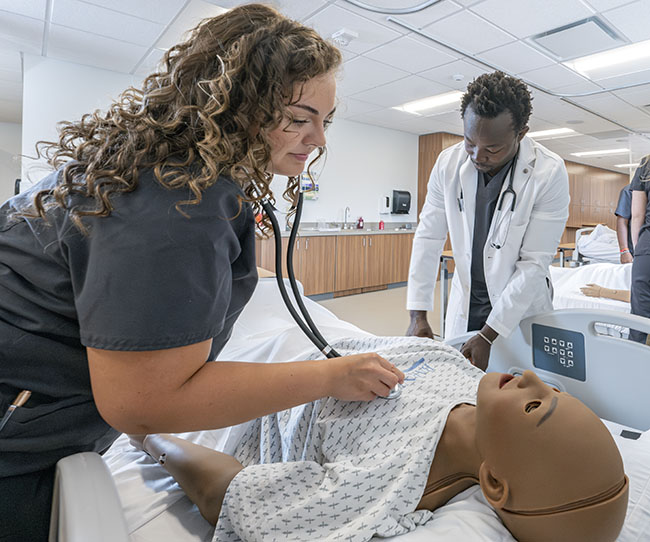
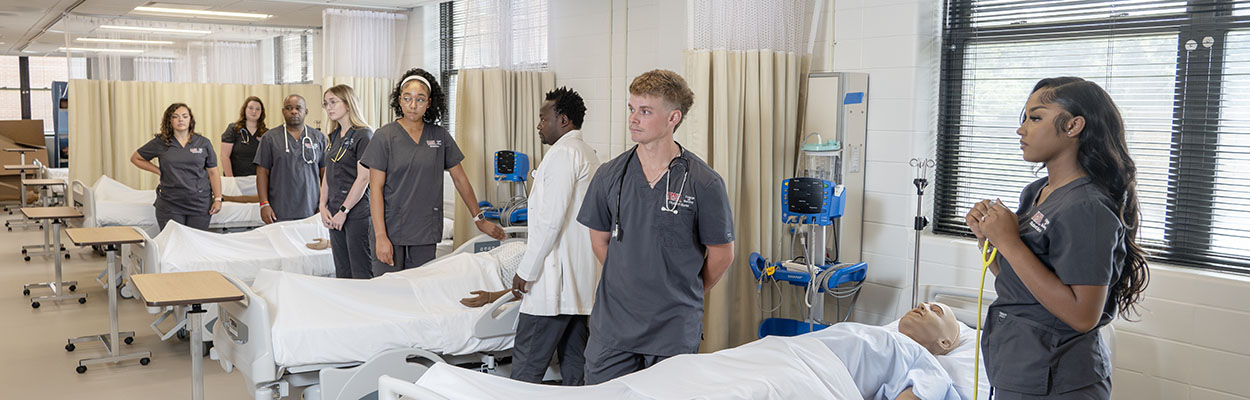
The Clinical Skills/Simulation Center is a state-of-the-art learning center and serves graduate and undergraduate students as a major learning resource environment for the University of Missouri, St. Louis College of Nursing. The center (consisting of five separate areas) is a multifunctional teaching and learning laboratory that provides an excellent opportunity for independent learning, self and mediated instruction, computer-based instruction, simulation experiences, and the practice of nursing skills. The center offers opportunities for teaching and learning in the cognitive, psychomotor and affective domains.
The Clinical Skills/Simulation Center includes the following areas:
- Nursing skills laboratory A located on the ground level of the Seton building that includes:
- One high fidelity simulation suite containing SimMan® with recording capabilities.
- 8 patient care stations each with a complete care manikin.
- 4 computer stations with printer.
- 1 Virtual IV®.
- Nursing skill laboratory B located on Level 1 of the Seton buiding that includes:
- One high fidelity simulation suite containing SimMan® with recording capabiilities.
- 3 patient care stations each with a complete care manikin.
- 4 additional patient care stations located in two annex rooms adjacent to skills lab.
- Physical assessment laboratory A located on the ground level of the Seton building that includes:
- 6 exam bays with wall mounted scopes.
- One Vital Sim® mid fidelity simulator.
- Physical assessment laboratory B located on Level 2 of the Seton building that includes:
- 8 exam bays with wall mounted diagnostic unit.
- Stadiometer/scale.
- Xray view box.
- 4 computer stations.
- 2 free standing wall mounted otoscope/ophthaloscope.
- Obstetric Simulation area located on the ground level of the Seton building and houses Noelle®, a mid fidelity birthing simulator.
Staffing
The Coordinator of the Nursing Skills/Simulation Center is responsible for coordinating the use of the facilities; selection and purchase of equipment; budget planning and inventory; storage, retrieval, utilization, security, and maintenance of lab supplies and equipment. The Assistant Coordinator assists with these tasks at the discretion of the Coordinator. Additional staffing with graduate student assistants as available.
Course faculty utilizing the laboratories for scheduled classes and labs MUST be present and are responsible for supervising students in the learning areas during these activities. Students are not to be left unsupervised at any time during lab activities. Course faculty are responsible for making sure equipment Is properly cared for and stored in the same condition in which it was found.
Faculty may reserve any of the labs for additional class activities at the discretion of the Skills Center Coordinator providing there is no scheduling conflict with a regularly scheduled class/lab.
Equipment/ Resource Materials Check-Out
-
Students may check out learning resources for use in the skills center areas only. This includes DVD's, VHS tapes, medication administration kits, injection skins etc. Students must leave ID or car keys at the desk when checking out items. Time limit on checkout is 2 hours. These items may not leave the lab.
-
Students may check out of the lab certain items for student related practice or course related projects. These items include BP cuffs, breast and testicular models, reflex hammers, etc. These items may be checked out for a period not to exceed 48 hours. Students will sign the equipment out using the check-out note book found in the main skills lab, ground level Seton Building. When checking the item back into the lab, the student should return it to the lab staff person for visual inspection.
-
Faculty may check out equipment (anatomical models, diagnostic equipment) for off site use (at the discretion of the Nursing Skills/Simulation Center Coordinator) if the items are not needed for a scheduled on site class/lab. Faculty needing equipment need to request items at least 48 hours prior to picking them up. The faculty member requesting the item is responsible for signing the items out using the check-out notebook found in the main skills lab, ground level Seton building. The faculty member signing the item out is responsible for transporting equipment and returning equipment in working condition to the skills center/lab personally. At no time is the equipment to be left with a student or non-faculty.
Broken or Damaged Equipment
Faculty are responsible for the supervision of equipment use by students. At no time are students to be left unsupervised in any of the skills centers/assessment laboratories. In case of equipment that doesn't work or gets damaged during use, please notify the Coordinator or Assistant Coordinator. Attach a Repair Notice (available in the Nursing Skills Center) and leave equipment at the main desk of the Skills Center on the ground level.
Dress Code
-
Students participating in simulation experiences must come to the skills center in full student uniform. This includes stethoscope, watch, and bandage scissors.
-
Students participating in regularly scheduled lab classes or using the lab during open lab hours should come dressed comfortably, but appropriately- no halter tops, midriffs, torn jeans, sweat suits or otherwise suggestive clothing.
Audio-Visual Resources
All College purchased audio-visual resources will be housed in the main skills center ground floor Seton. Students may view all resources in the skills center. Students may not take audio-visual resources outside of the skills center.
Faculty may borrow audio-visual resources as needed. Faculty may sign out resources and keep for 48 hours. Resources need to be sighed out in the same way equipment is signed out.
The skills center is equipped with computers, DVD and VHS players for student use. The computers in the main skills lab and second level assessment lab are available for student use. Students may use the printer for school related activities but will need to supply their own paper. Students will sign in using the lab sign-on and password. This sign-on allows access to the internet and mygateway but prevents downloading of software.
Additional Rules:
-
No eating or drinking in the assessment labs.
-
Students and faculty should wash hands with soap and water prior to touching simulators.
-
No eating or drinking during simulation.
-
At no time should students be left unsupervised in any of the labs. (graduate or undergraduate)
-
Faculty are responsible for leaving labs in the same condition they are found.
-
Faculty are responsible for putting equipment away in the same condition it is found.
-
If you open it, close it; if you raise it, lower it; if you turn it on; turn it off; etc.