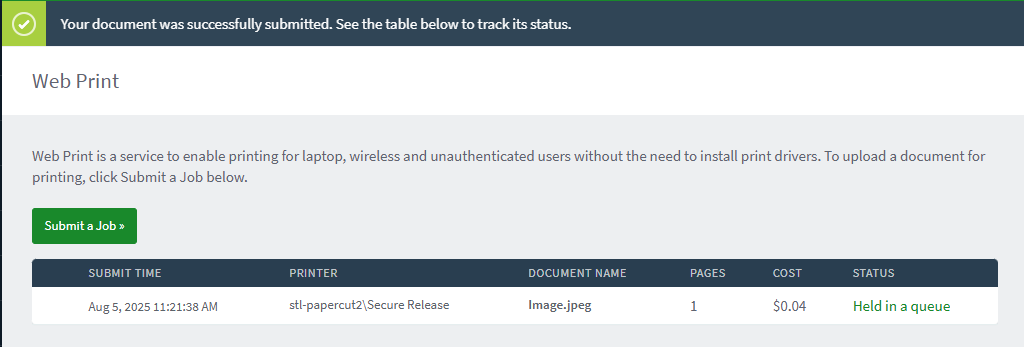
How to Submit a Job via Papercut Web Print
- Open Tritonprint in a web browser
- Log in using your SSO
- Select the WebPrint tab
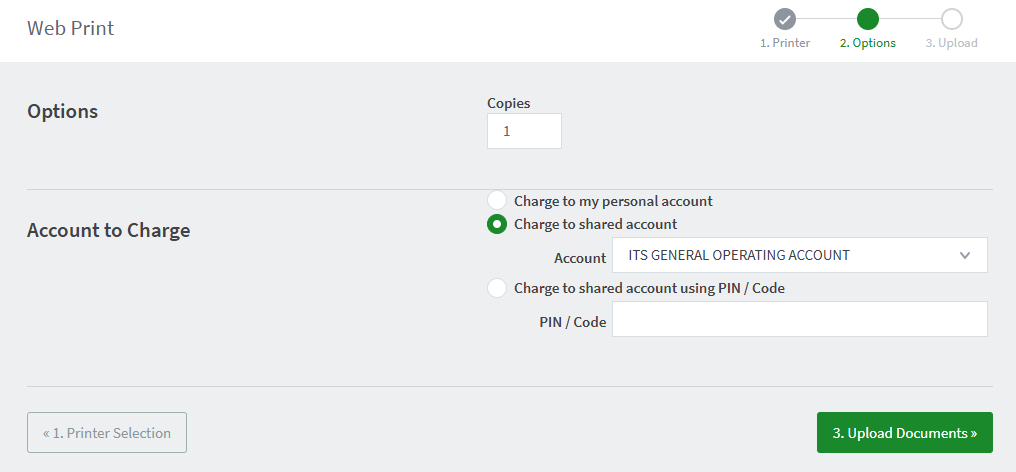
- Enter charging details and proceed to Upload Documents:
- Upload a compatible file (Supported File Types: (pdf, bmp, dib, gif, jfif, jif, jpe, jpeg, jpg, png, tif, tiff)
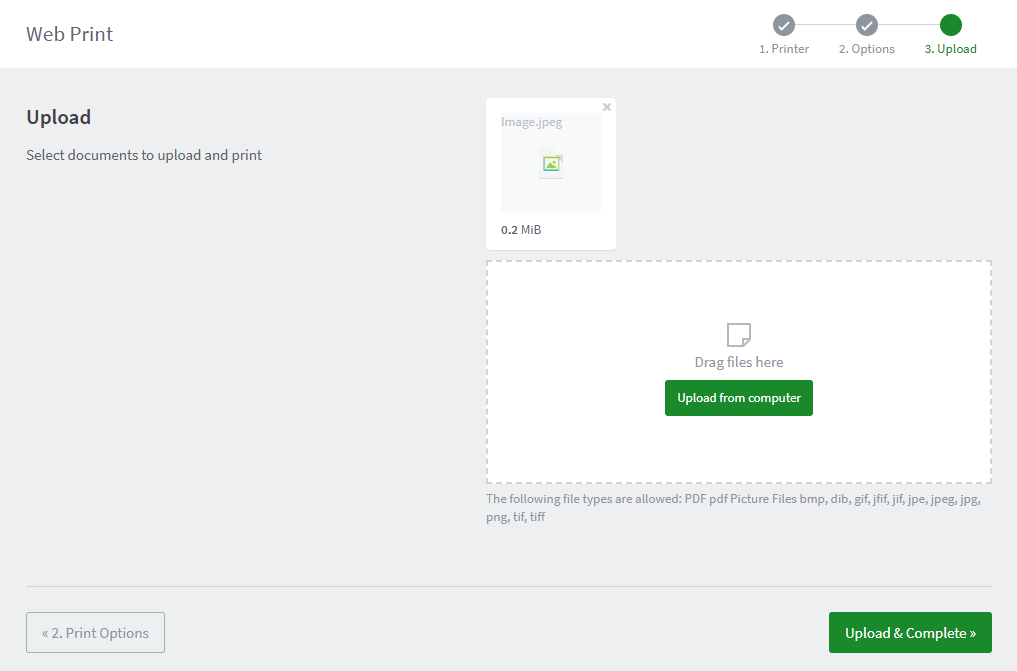
- Proceed to Upload & Complete: