-
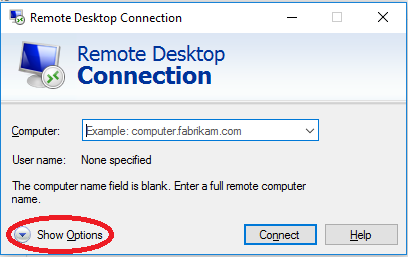
Launch Remote Desktop Connection
-
If the tabs are not displayed, click "Show Options"
-
Select the "Advanced" tab
-
Under "Connect from anywhere", select "Settings..."
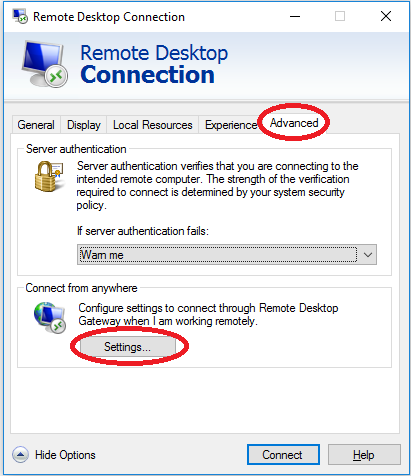
- Select "Do not use my RD Gateway server"

-
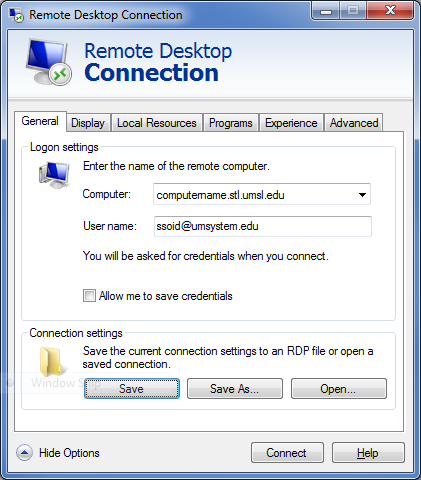
Select the "General" tab
-
Enter the computer name
-
Enter User name as ssoid@umsystem.edu
-
Click "Connect"
-
If prompted to confirm the connection based on certificate validation, review the host name and click Yes.