-
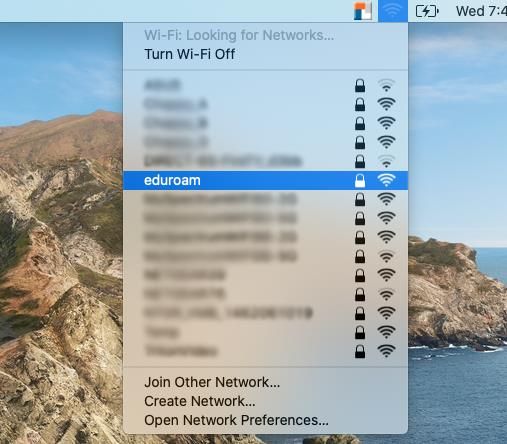
From the desktop, click on the wireless icon on the top right menu bar. You should see a list of SSID on the screen. Select eduroam.
-
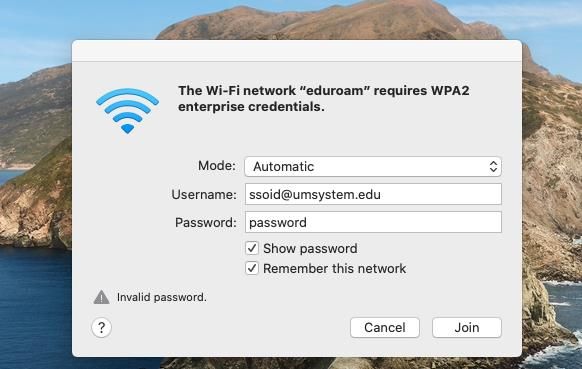
Enter your ssoid@umsystem.edu and password.
3. You will be prompted to accept a certificate from ‘InCommon Server CA’ click continue.

4. You are now connected to the eduroam network.