Visit: umsl.flywire.com to begin the payment process.
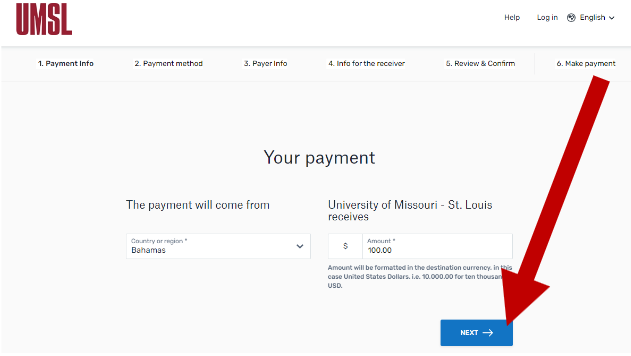
- Select where The payment will come from and Enter the Amount in each respective field and select Next.
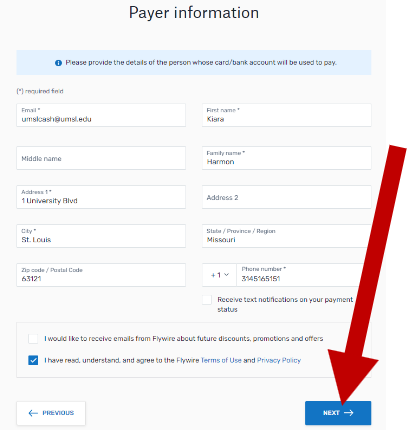
- Follow the instructions provided on each screen, including Payer and Student Information.
- Review the information and click Next.
- Please take the document generated on the next screen and forward to your
scholarship officer found in your contract documents.