1. Navigate to National Student Clearinghouse. UMSL uses the National Student Clearinghouse for all transcript services. Please note that the request process works best on a desktop or laptop.
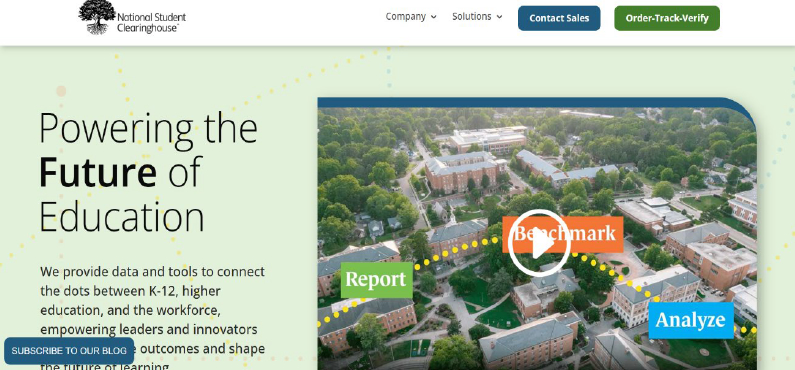
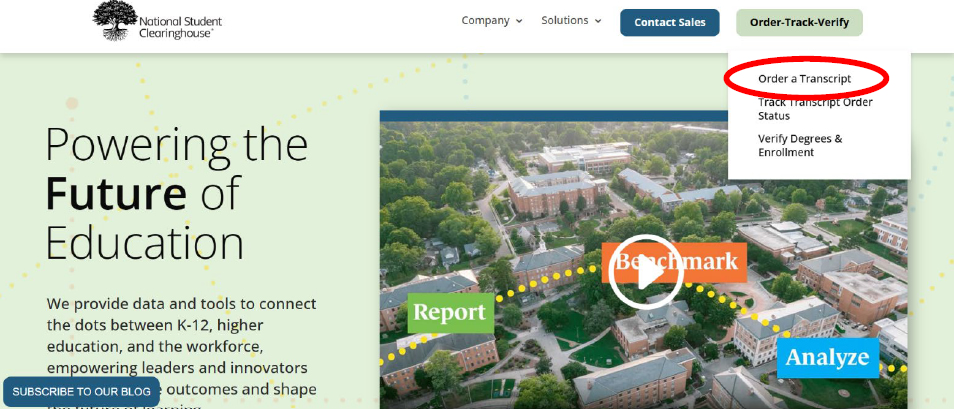
2. Select “Order-Track-Verify,” then select “Order a Transcript.”
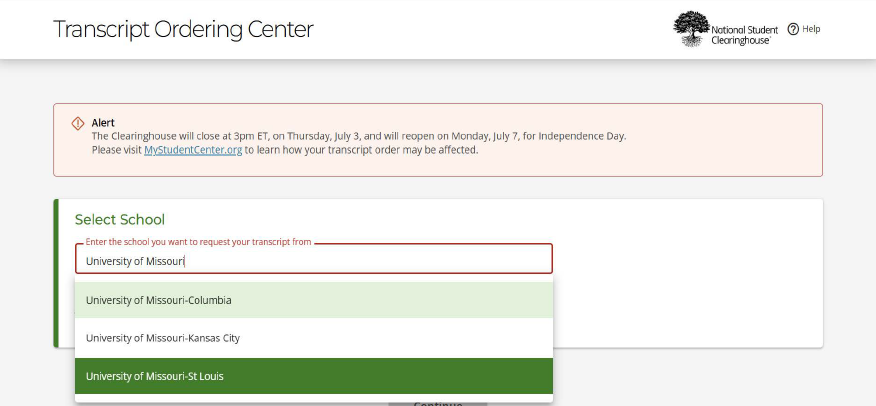
3. Select a school. Begin typing “University of Missouri," select the St. Louis campus and continue.
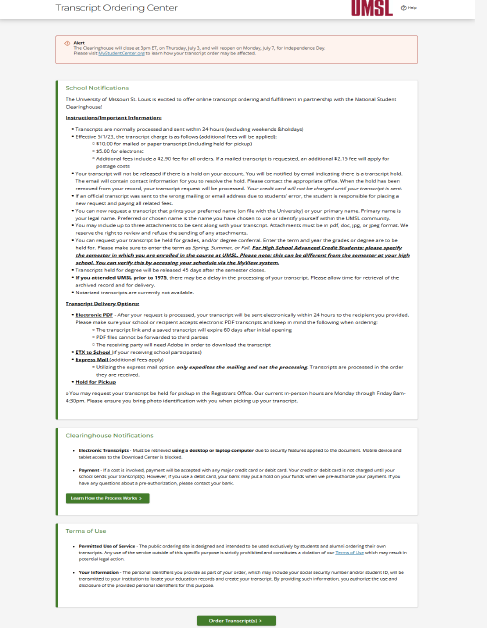
4. Read the notifications and terms of use, then continue to the order.
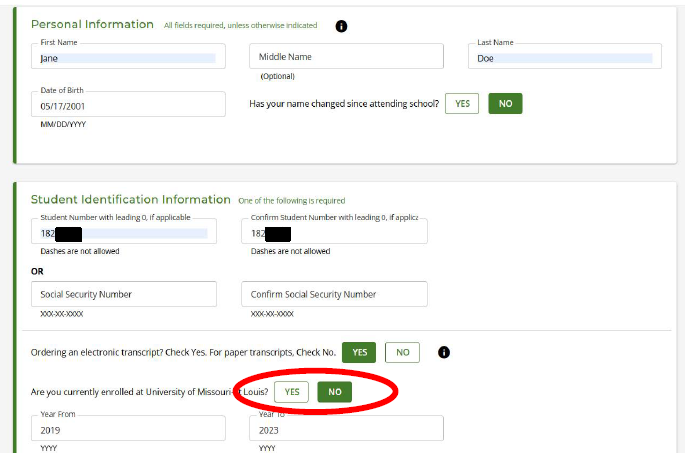
5. Enter your personal and identification information.
- Enter your 8-digit UMSL Student ID or your SSN
- Select "Yes" or "No" for electronic of paper transcript
- Select NO to the question “Are you currently enrolled at UMSL?”
- Enter the years you took courses, then continue.
- If you do not know the years you took courses, you can access this information in MyView or by calling 314-516-7005.
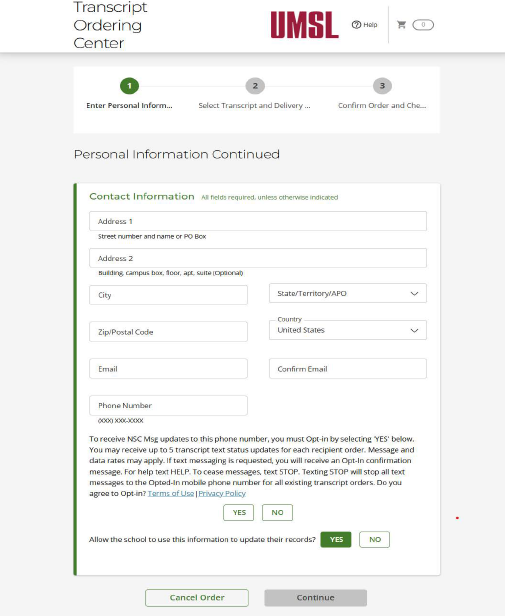
6. Enter your contact information and continue.
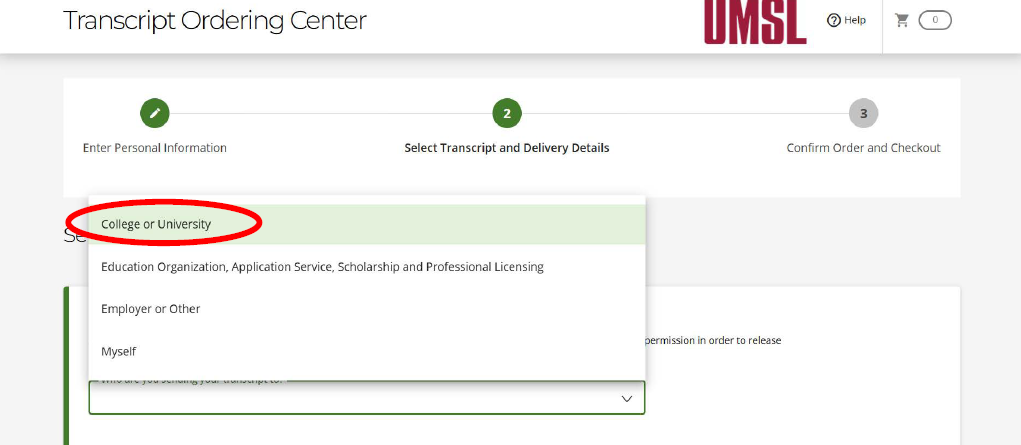
7. Select your recipient type. In most cases, it will be a college or university.
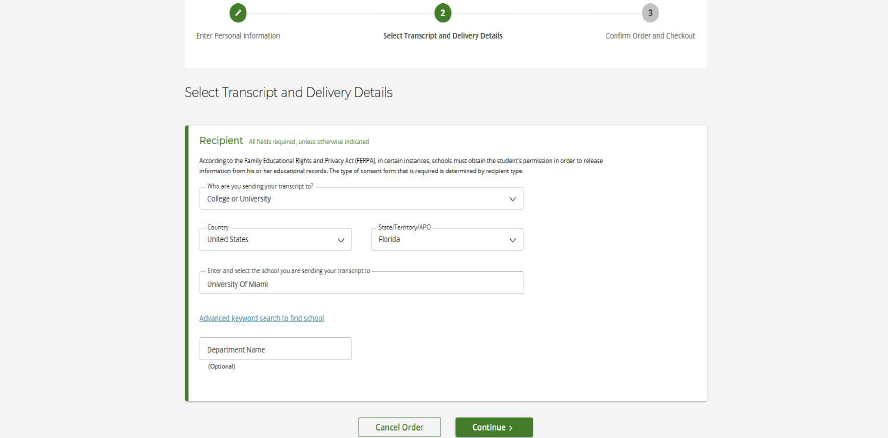
8. Enter your recipient details (i.e. the institution to which you are sending the transcript).
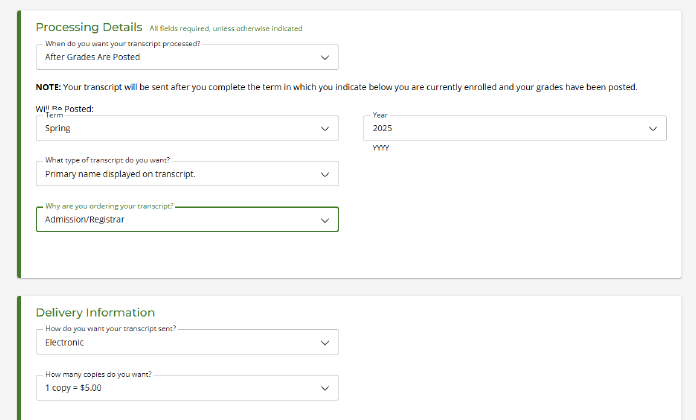
9. Complete the processing details.
- If all of your UMSL grades have been posted, you may request the current transcript as is.
- If you are waiting on a specific grade, you may select the option to wait after grades are posted to release the transcript. IMPORTANT: Your transcript will not be processed if you do not specify the term and year of the missing grade(s).
If you are not certain whether your grades are posted, access your MyView student account or call 314-516-7005.
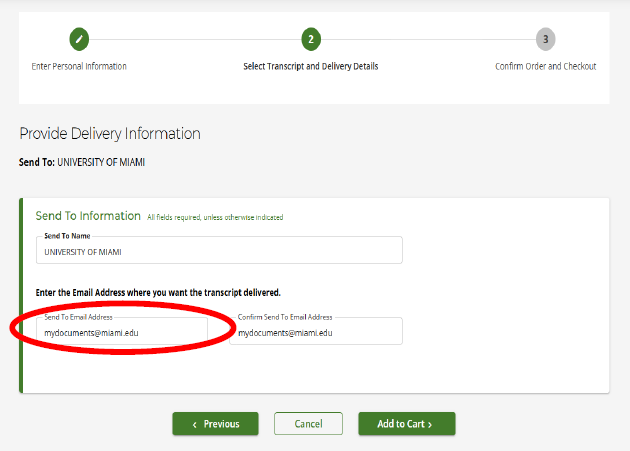
10. Provide delivery information, add to cart, then checkout.
For Electronic Transcripts: The recipient email should have been given to you by your institution during your application process.Contact the institution you will be attending or visit their website to obtain their preferred delivery address.
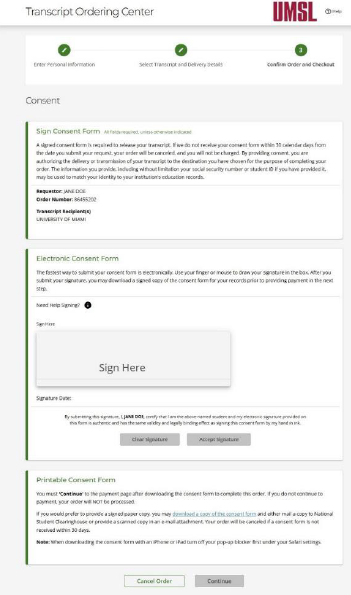
11. Before checking out, read and sign the electronic consent form.
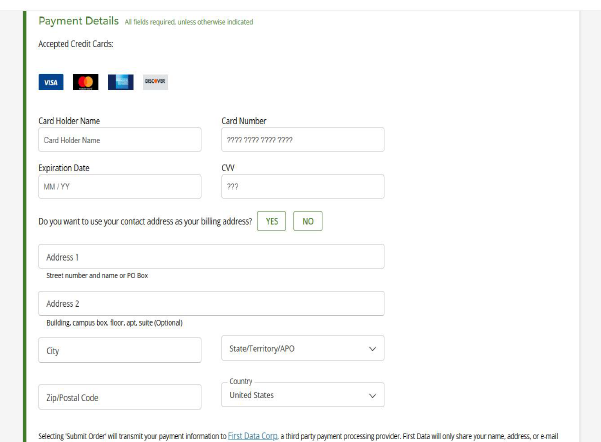
12. Enter payment details and submit your order.
13. You have successfully ordered a transcript!
You will receive a confirmation email from the National Student Clearinghouse. This email will contain an order tracking number that you can use to check the progress of your request.
Electronic transcripts are generally received in 1-2 business days.
If there are any issues with your transcript (such as missing or incorrect grades) you may contact the ACP office at acp@umsl.edu or 314-516-7005.