Student registrations are NOT considered complete until all three occur:
- Students complete their profile and select courses
- A parent/guardian approves the application
- A high school counselor approves the application
Applicants without all three will not be enrolled.
Registration Tutorial
1. Begin at the ACP Registration Portal.
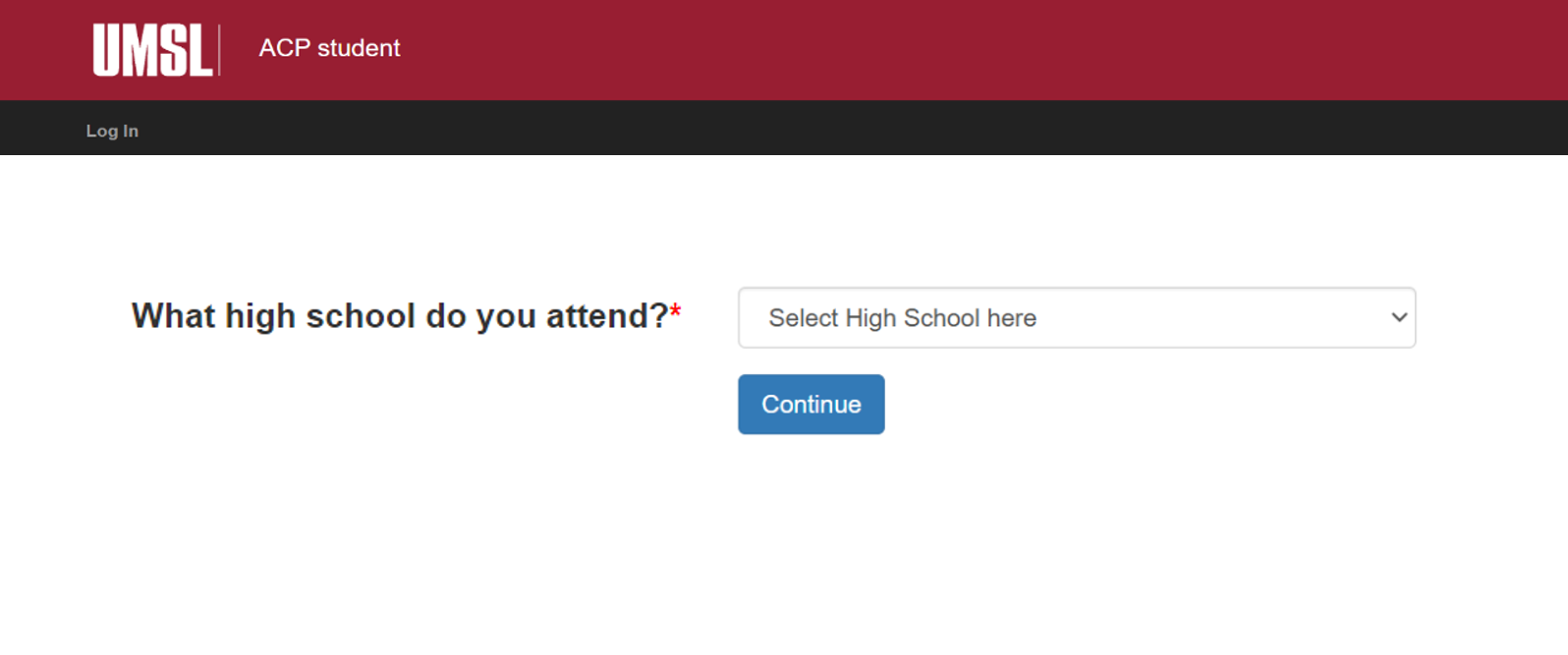
2. Select your high school and press “Continue."
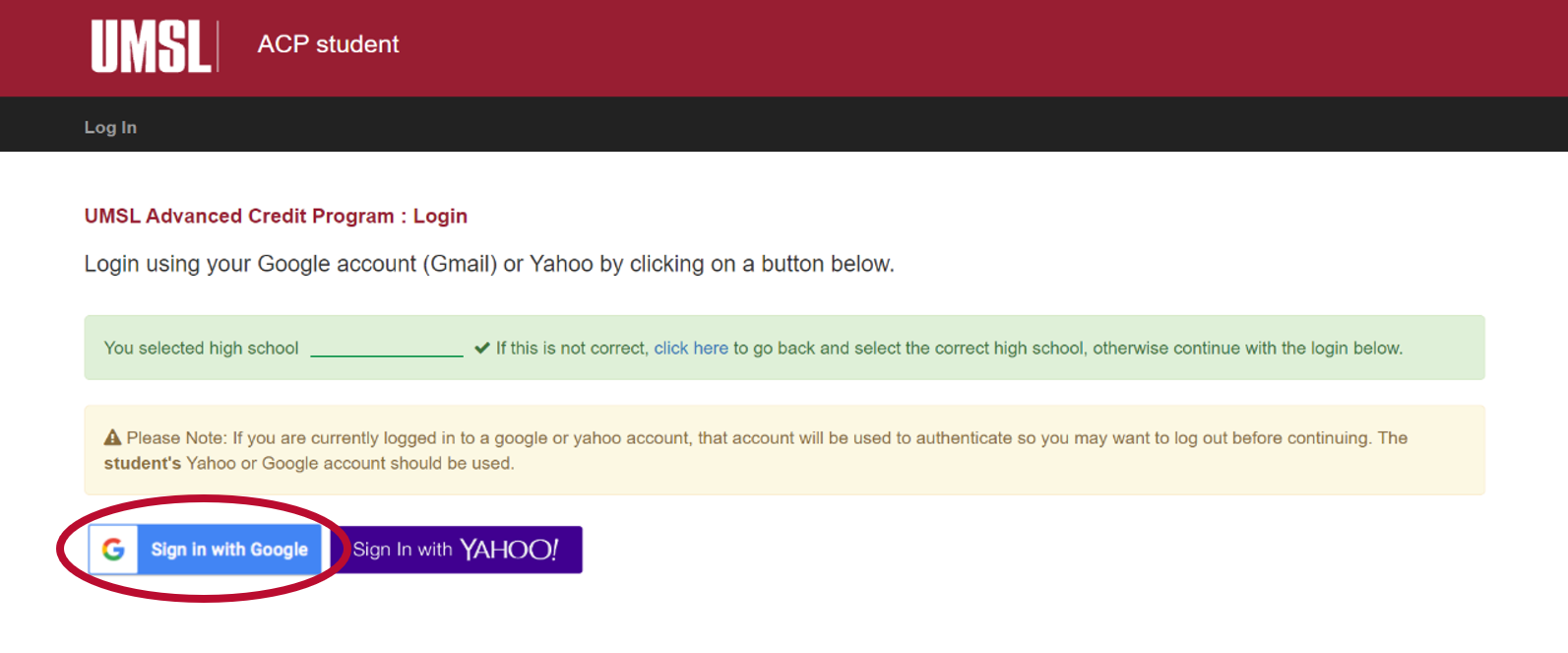
3. Sign in with a Google or Yahoo account. Many high school email addresses are compatible with Google authentication. If so, students may use the "Sign in with Google" link with their high school email.
Signing in with an email address ensures that students do not register multiple times and allows students to re-enter the registration site if necessary. When logging in, students must enter a unique email address that only they use. If two students from the same family are registering, they cannot log in with the same email account.
Students who have previously registered with the ACP must log in with the same email they used in prior semesters. Likewise, students must use the same name used previously. For consistency, students should always register using their full, legal name. If you do not remember what information you used originally, contact the ACP office at acp@umsl.edu.
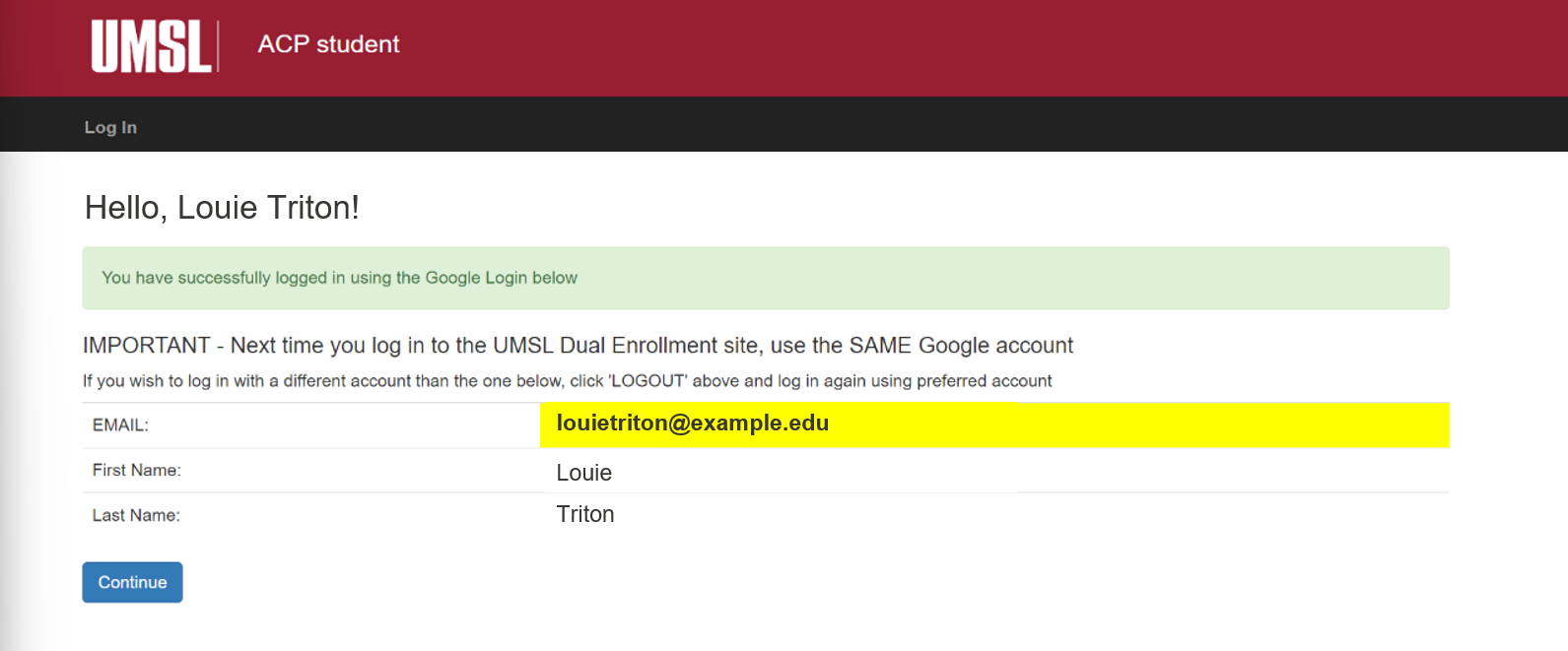
4. Confirm your name and email, then press “Continue.”
If another person has already signed into an email account on your computer, their account information may automatically fill in instead of your own. If this happens, try using a different browser or another device.
5. Enter the necessary profile information and press “Continue.”
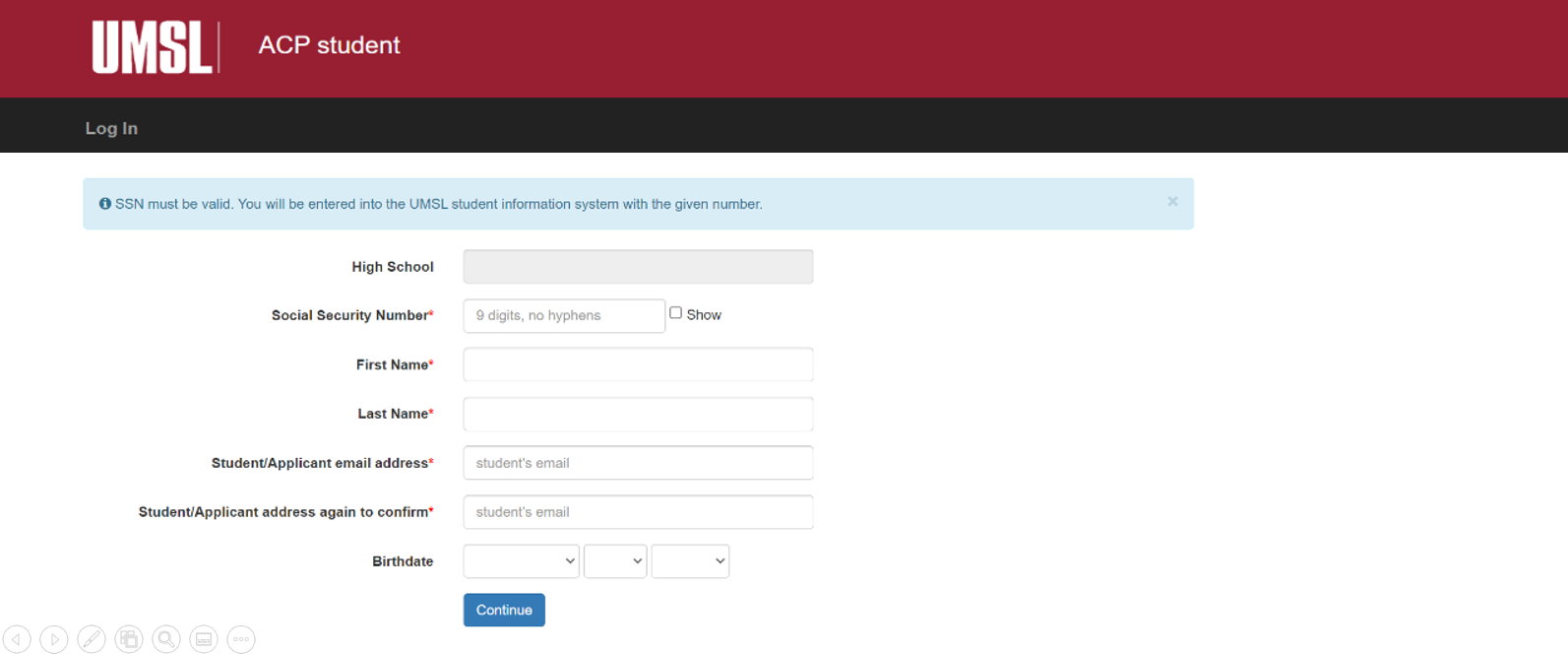
Students applying for the first time will be prompted to confirm their information again. A profile will then be created for them.
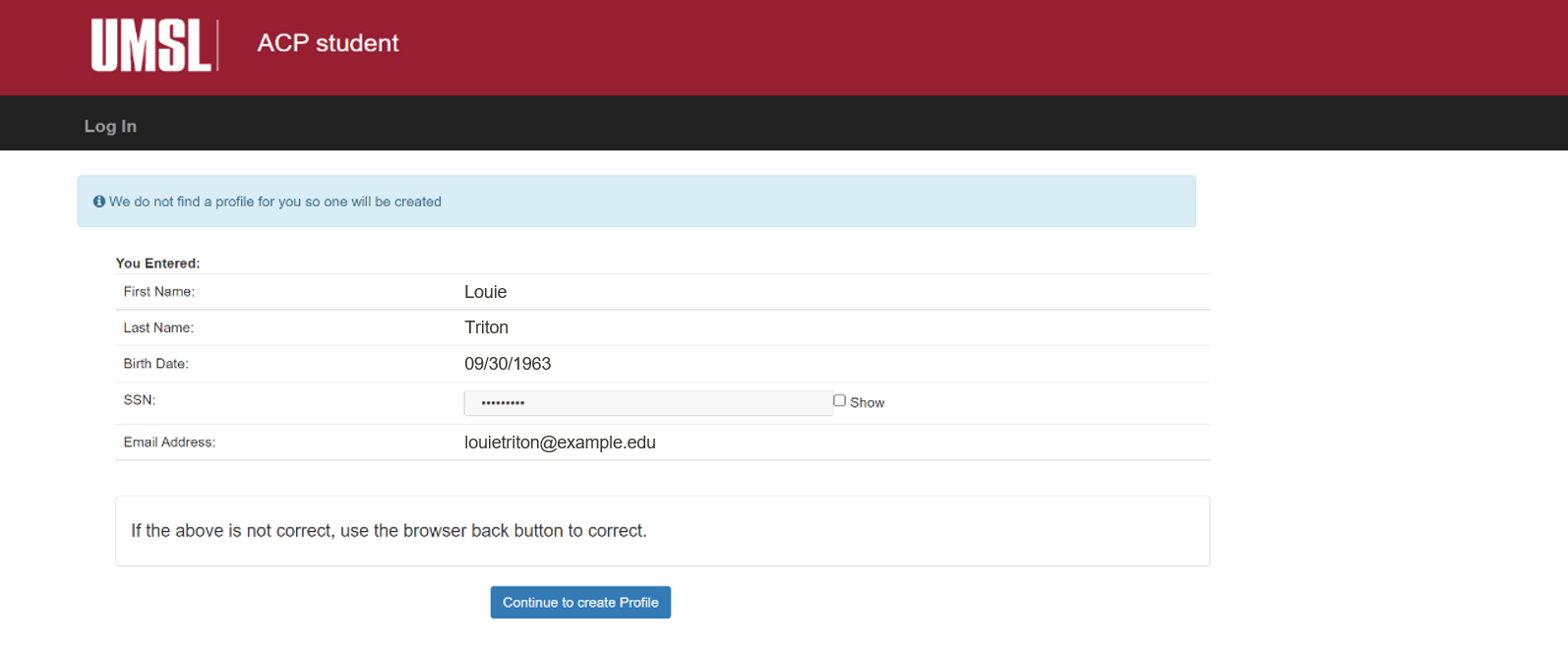
6. Students will be notified that their profile is complete. Proceed to the application.
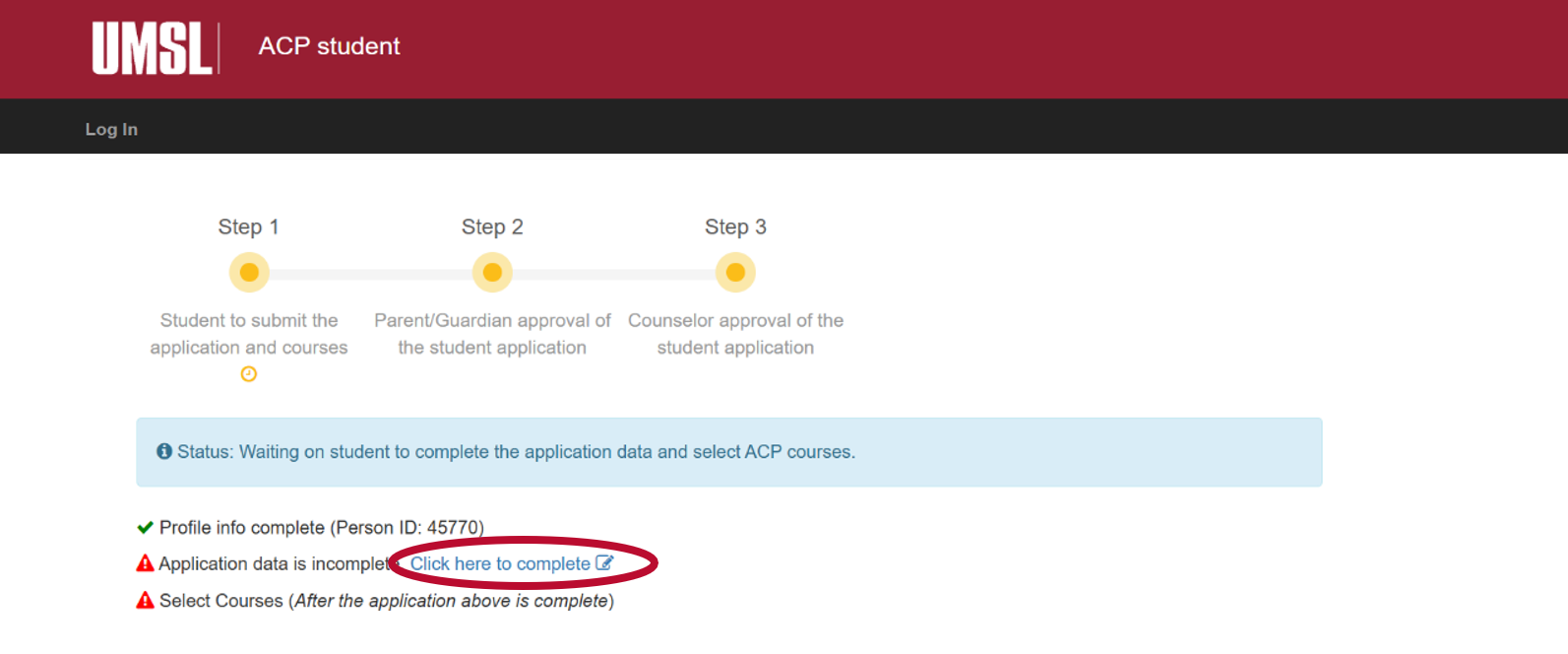
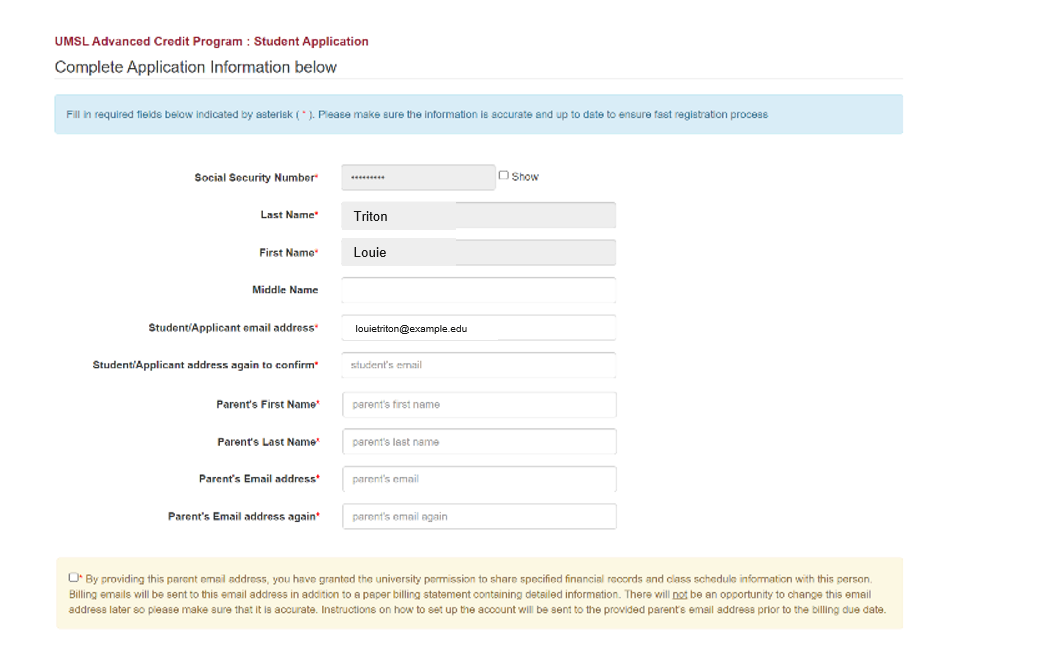
7. Enter the required application information and press "Continue." Double-check that all contact information and address are correct so you do not miss important communications.
8. Students will be notified that their application data is complete. Proceed to course selection.
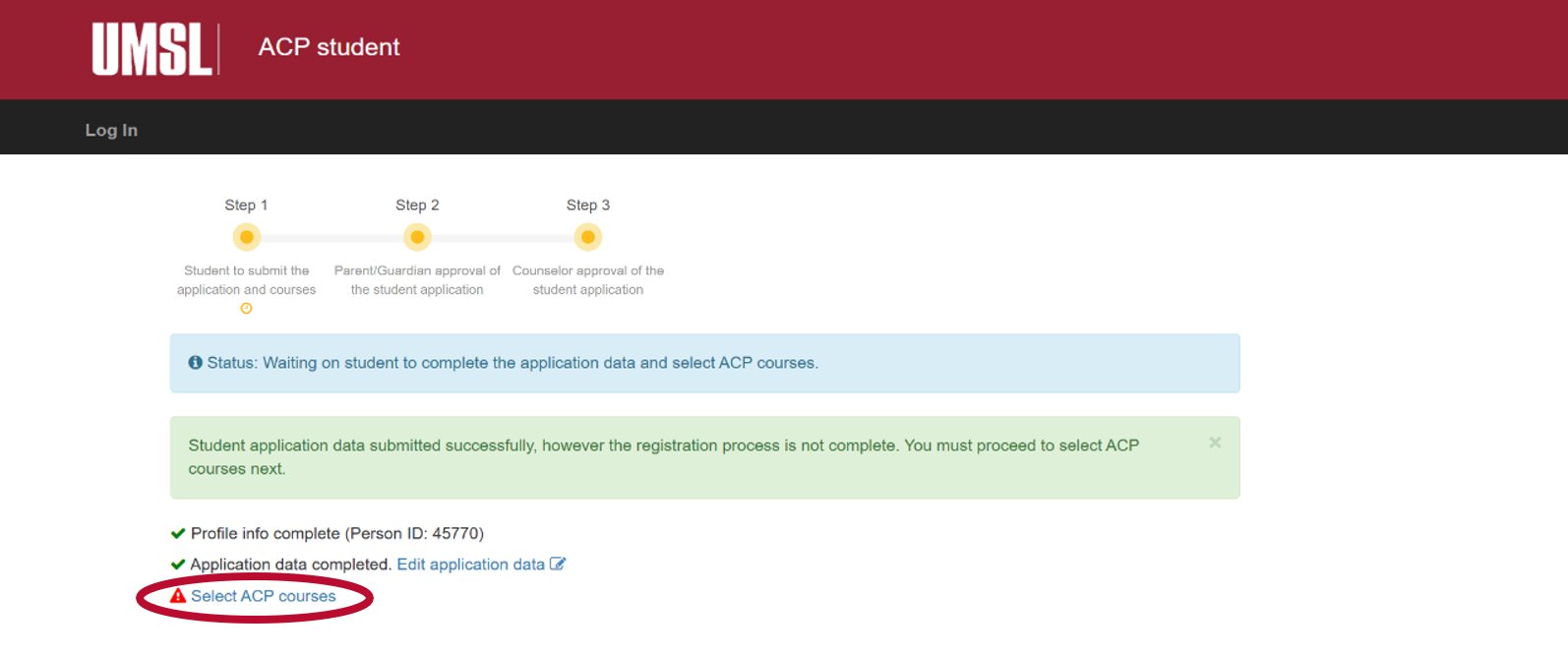
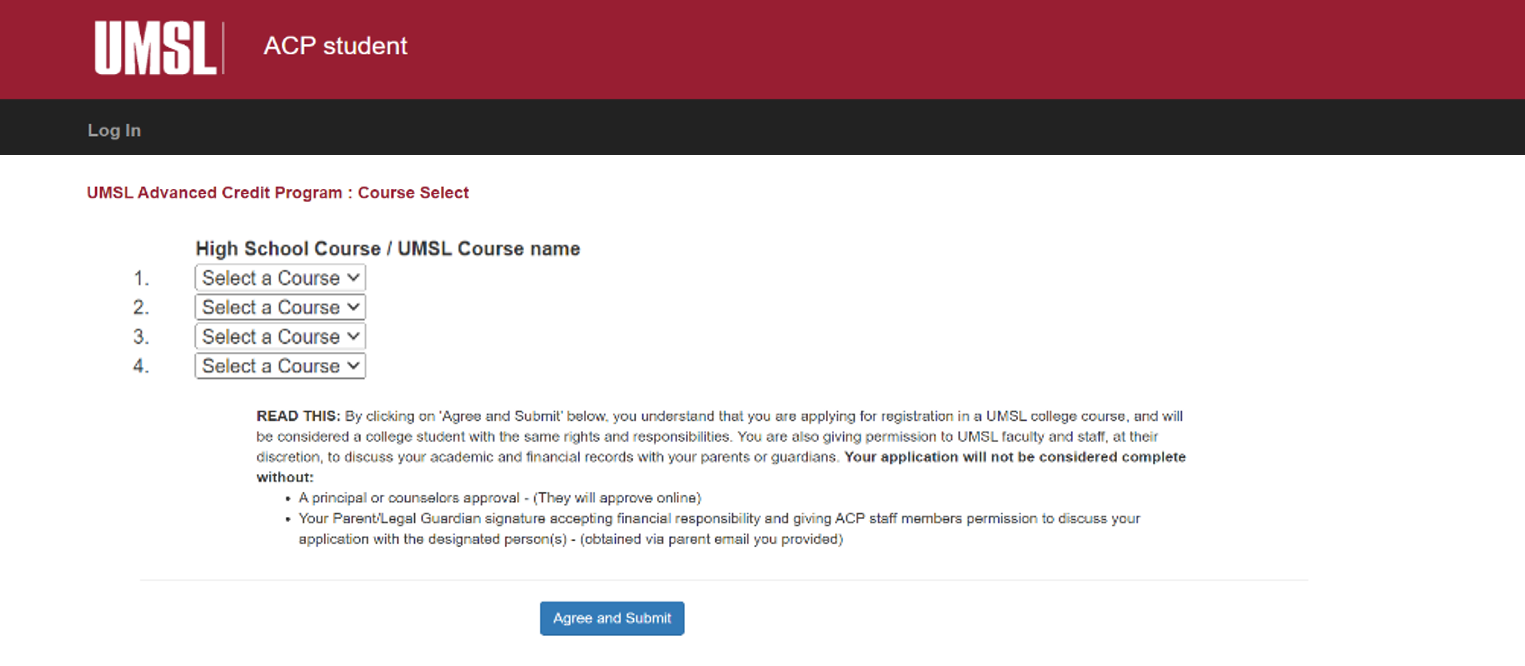
9. Select your desired courses and press “Agree and Submit.” In the rare event that a student needs a fifth course, contact acp@umsl.edu for approval.
10. After course selection, the student portion of the application is complete. The progress bar will now show that the application is pending parent approval. After selecting classes, students will get a confirmation email. Students can use the link from that email to return to this page and check their application status.
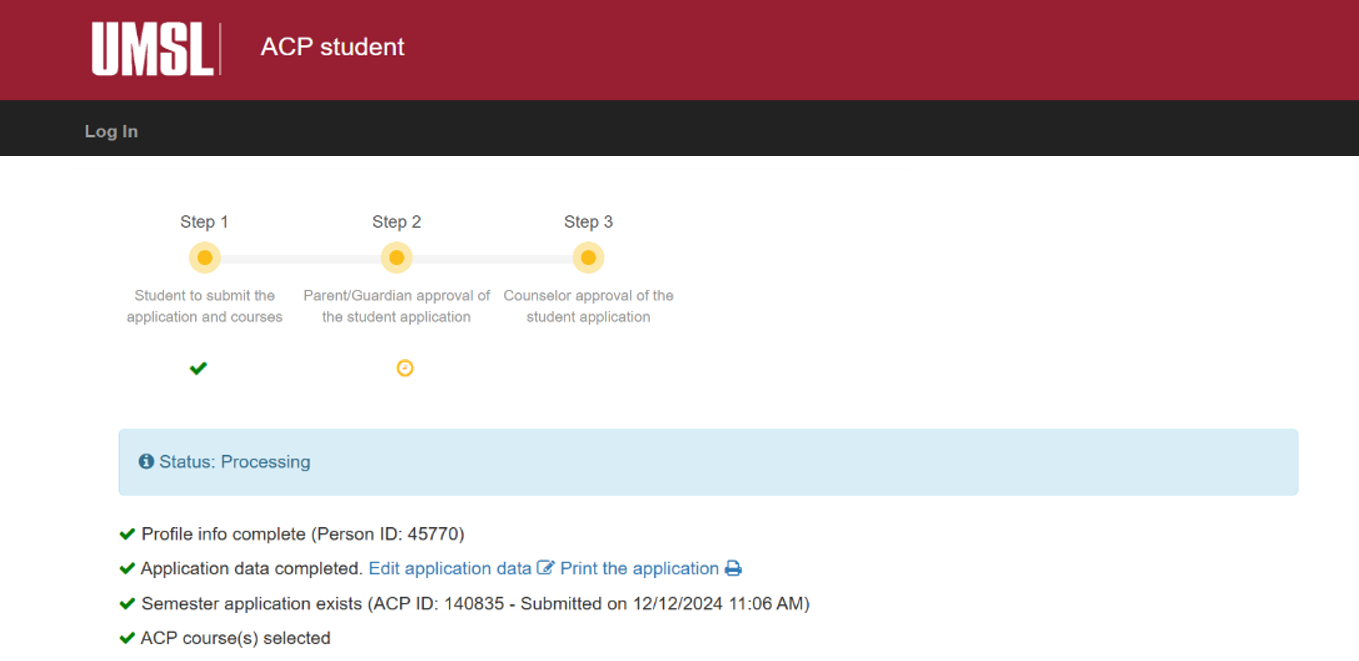
11. Next steps: The student's parent/guardian will receive an email with a link to approve the student's application for ACP courses. After the application is approved by the parent/guardian, the application will be sent to the school counselor for approval. More information is available in subsequent sections.
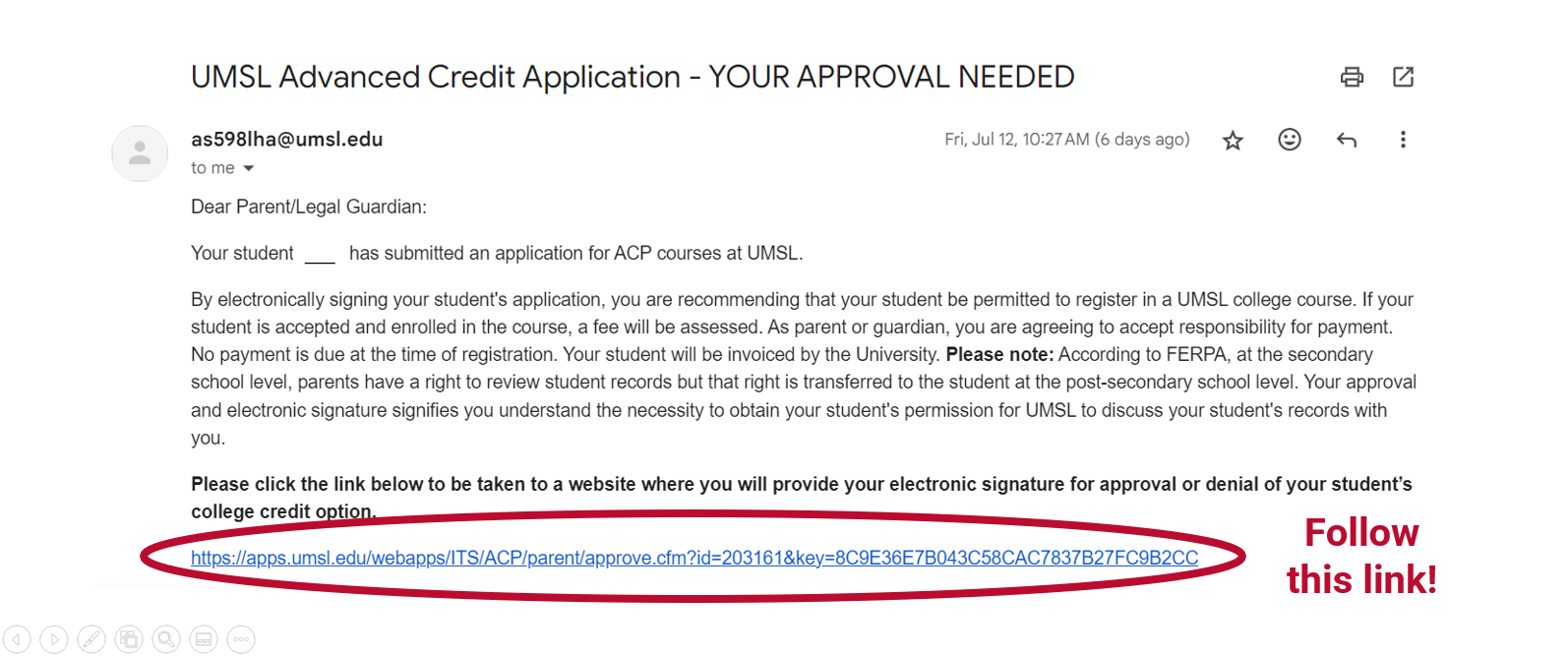
1. After the student completes their portion of the registration, parent/guardians will receive an email. Follow link in the email to confirm the student's enrollment.
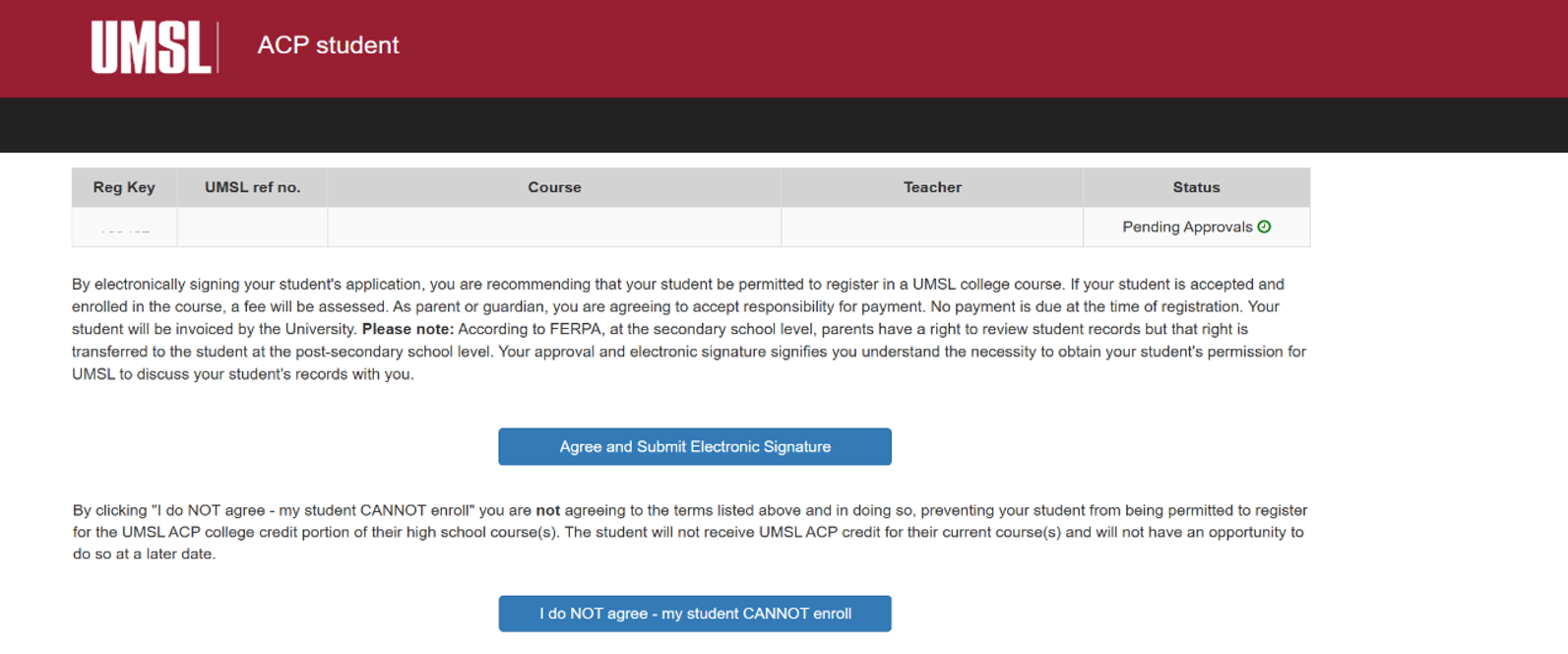
2. Parents/guardians may approve or deny student enrollment by clicking either "I agree" or "I do not agree."
3. Parents/guardians will receive confirmation that their action was successful.
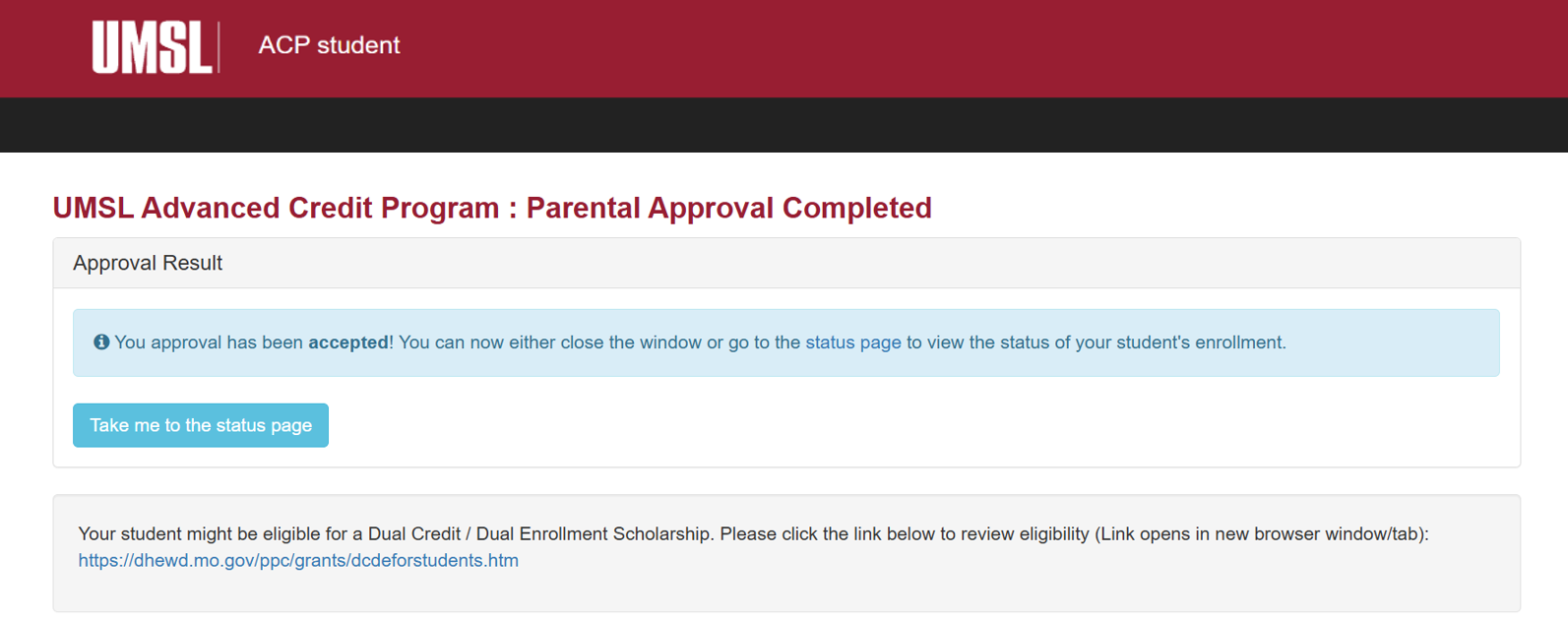
4. Parents/guardians will also receive a confirmation email with a link to check the student's application status. The progress bar will show that the parents/guardian approval has been completed, and the application is now pending counselor review.
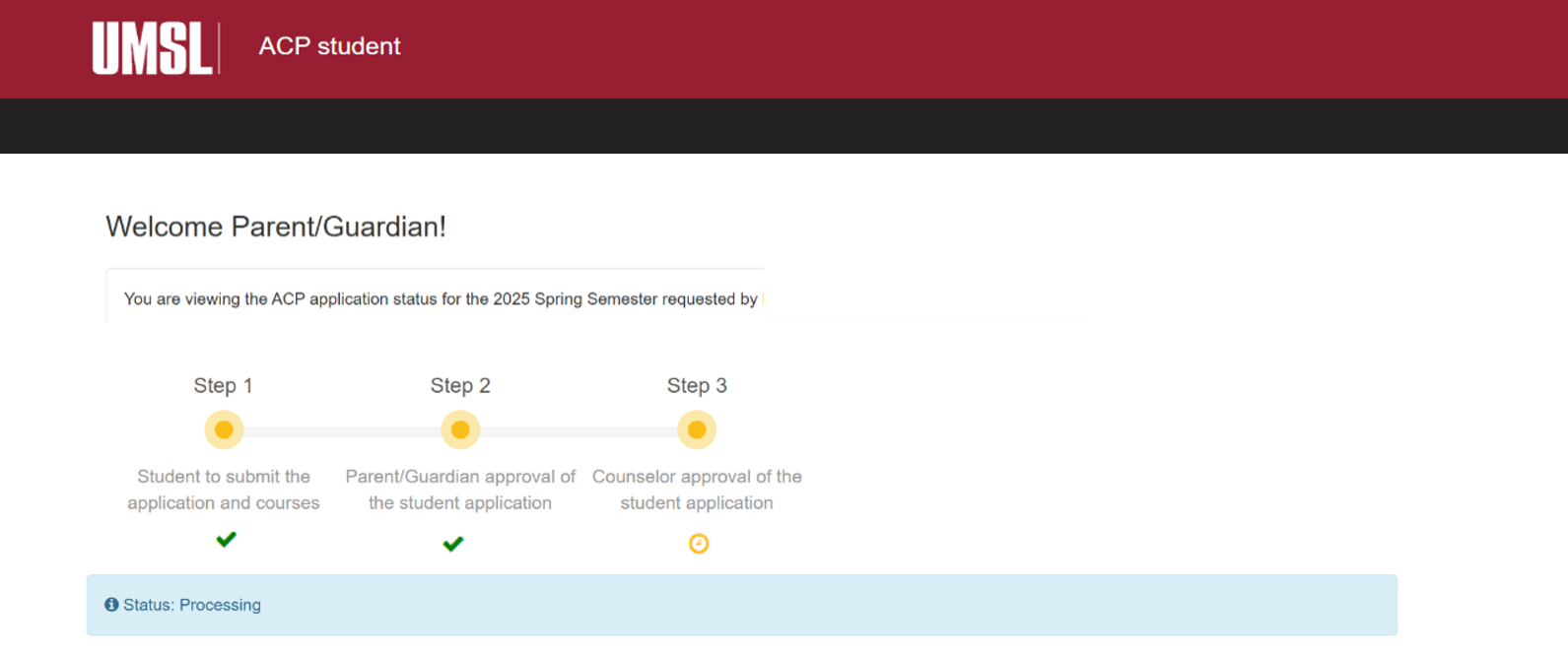
5. Next Steps: If the parent/guardian approves the student's application, it will be forwarded to a high school counselor for evaluation. If the parent/guardian denies the student's application, the application will NOT proceed to the counselor, and the application process will end there. Parents/guardians may go back and approve their students even if they previously denied them.
High school counselors verify that the students (1) are actually enrolled in a dual credit class at the high school, and (2) meet the eligibility criteria outlined by the ACP. See Eligibility for more information.
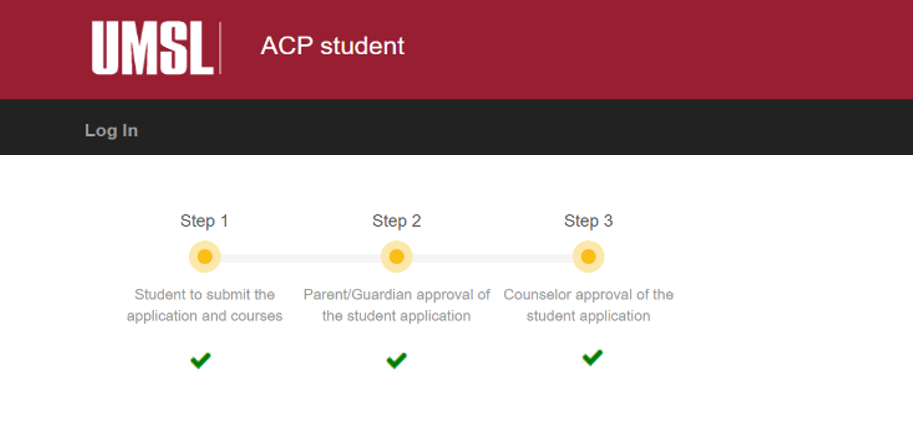
Once the high school counselor approves the application, the student's ACP application is considered complete. No outside action is required after this point. The ACP office will send all complete applications to the UMSL Registrar, who will officially enroll the students.
The student's application portal will show that all three steps are complete.
Students will receive their billing information and UMSL account information in the weeks after registration closes.
General Information
Fall 2025 registration is open to students from Monday, August 18th, to Monday, September 15th.
Spring 2026 registration is open to students from Monday, January 5th, to Monday, February 9th.
Late registrations will not be accepted.
Fall 2025 parent/guardian approval closes Wednesday, September 17th.
Spring 2026 parent/guardian approval closes Wednesday, February 9th.
Submit payments by the due date to avoid late fees.
The current tuition rate is $72 per credit hour.
Tuition must be paid in full by the end of the semester in which the student registers.
After the registration period ends, enrolled students will receive an email containing instructions on how to access their MyView student account.
Please view your UMSL academic records to verify that your enrollments are accurate.