Attendance Guidelines for Instructors
Attendance Definitions
Federal regulations require instructors to confirm student attendance/participation in courses in order to meet eligibility rules for federal financial aid per Title IV Code – 34 CFR 668.22 (l) (7). This is not a requirement to take daily attendance (though that is one acceptable method of verifying attendance). Rather, students are considered to have attended or participated in the course if they have demonstrated (and it can be documented) one of the following acceptable academically related activities:
- Physically attending a class where there is an opportunity for direct interaction between the instructor and students
- Submitting an academic assignment
- Taking an exam, completing an interactive tutorial, or participating in computer-assisted instruction
- Attending a study group that is assigned by the school
- Participating in an online discussion about academic matters
- Initiating contact with a faculty member to ask a question about the academic subject studied in the course
Academically related activities do not include activities where a student may be present but not academically engaged, such as:
- Living in institutional housing
- Participating in the school’s meal plan
- Logging into an online class without active participation
- Participating in academic counseling or advisement
Ways to Determine Attendance
- Require students to complete early assignments for credit, or not-for credit, during the first two weeks of the term. These may be submitted through Canvas or the current LMS (Learning Management System). These assignments must focus on course content to meet federal expectations
- Take attendance verbally or through student sign-in during on campus class sessions. If attendance rosters are circulated for student signature, they must not include student ID or other personally identifiable information per FERPA
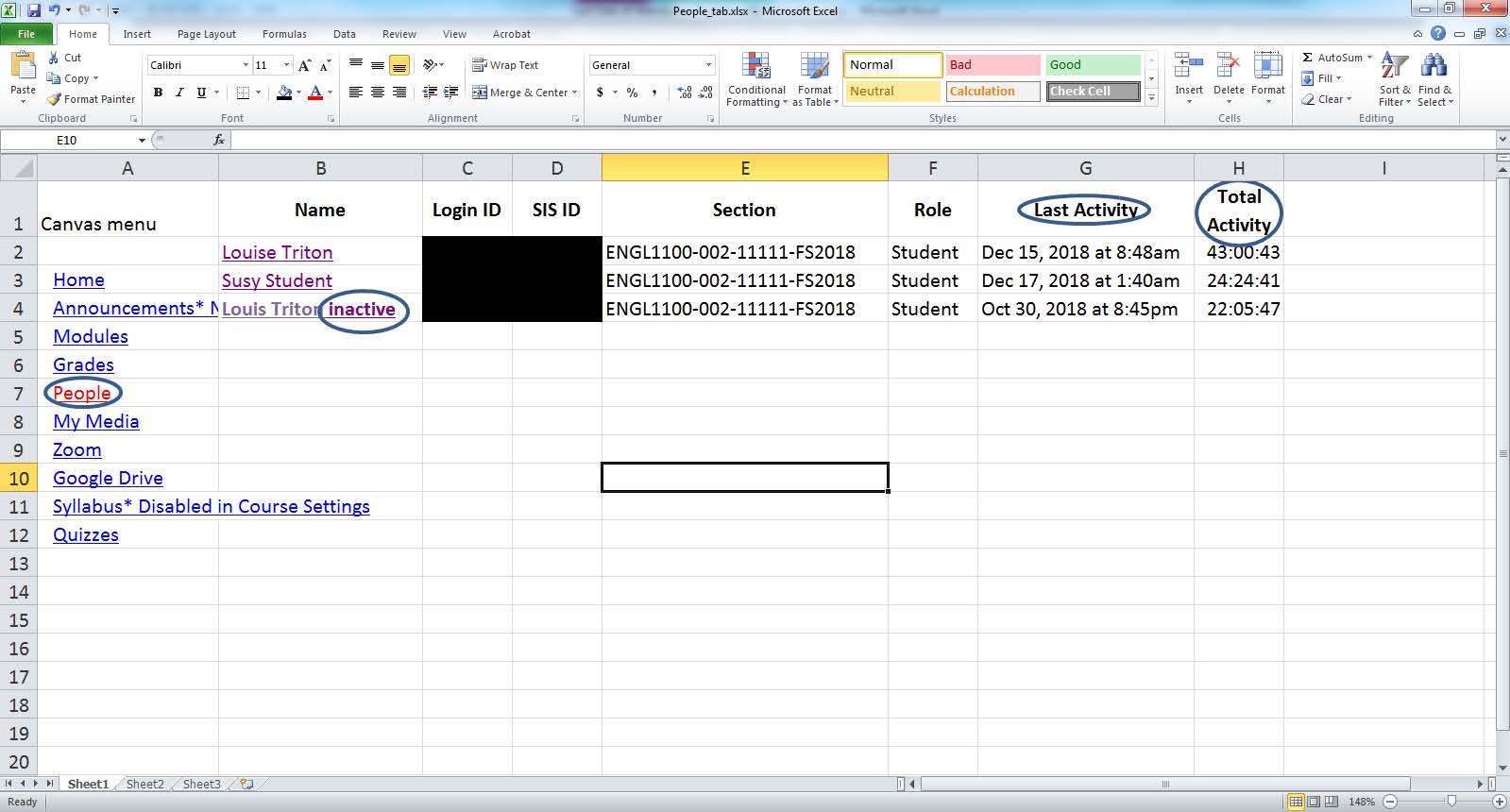
Note: The “People” tab on Canvas will capture the last activity date and time for each student enrolled, as well as the total activity time the student utilized the LMS site for the class. This is a helpful feature to reference for documentation of student participation, or if asked for last date of attendance during the semester (or after the semester has ended). Information within the ‘People’ tab on Canvas also denotes if a student has dropped the class by tagging them as Inactive.