This book is for you if you have ever wanted to harness the power of the Internet, but haven’t been quite sure what that means or how to do it. It is intended for the parents, grandparents and great-grandparents who want to use the wide range of tools that are available today on the Internet, from simply surfing the web to buying online, using email, blogs and even social networking sites. You may have sought guidance from your child or grandchild only to be annoyed at their exasperated response to your questions. Or, you may have tried it on your own and gotten frustrated with the tools, or had some problem result from that use (or know someone who did). You may be using the Internet, but just not feel very confident in what you are doing. If you fall in any of those categories, I wrote this book for YOU! Of course, if you are the child or grandchild and are having trouble explaining things to your parent or grandparent, this book could help you too.
I want to share information with you. I have distilled more than 40 years of experience without the techno-babble, but with an emphasis on the important issues. I think I have a different approach than other books because I am doing it from the beginning, avoiding jargon, and tying the efforts to things you already do and understand. I learned from my experience with explaining the Internet to my own mother that she would only “get it” when she could relate the experience to something she already knew. As I explained to her, and you will see in the book, an ISP is essentially a telephone exchange, and a URL is used the same as a street address. She could relate to the need for locks on her doors and windows, and that could be used to explain the various kinds of computer security needed for safe use of the Internet. A blog is nothing more than a diary where those reading it actually admit it and leave comments. In other words, I could explain this “Internet thing” as long as I related it back to the things she knew and understood in the physical world.
I had a second learning experience before I began this book; it was set in a swimming pool. I had a bad knee for years and needed to exercise in a pool to avoid further injury, so I joined a water aerobics class. Most such classes, I have learned, are populated by women over 65, so I was always the “kid” in the class. I did not talk much about my background because people tend to be put off both by professors and “computer people.” But, it did slowly leak out that I was both. Thereafter people began to ask me questions about their computers. It is challenging, to say the least, to answer questions about computers when you are in a pool, there is no computer around, and your listeners do not really have much background from which to explain their problems. From this I learned to ask questions and explain fairly complicated problems and options in the simplest way I could. Here too I relied upon the tool of referring back to the physical world to explain how the electronics work.
This book uses the approach that I used with my mother and with the ladies in the pool. It is technically correct and complete, but it does not use the normal jargon in the explanation. I have tried, instead to make the book “chatty” in an effort to engage the reader and keep his/her attention long enough to convey the concept. Further, I have tried to explain all aspects of the computer using physical analogies and practical solutions. The result is, I believe, an interesting, easy-to-read book that explains internet activities, what kinds of activities they might want to consider, and a “how to” manual to make it happen.
I want to help navigate the Internet as things change and evolve too. So, I have set up a blog that has small discussions of whatever is impacting Internet use. You can read the blog at http://internetuseforseniors.wordpress.com/. You can ask questions to any posting, and learn more. This is another feature that is different about this book when compared to others.
This book has been a labor of love. I want to thank my friends and family for their support, encouragement and patience. I want to thank the following people who answered my silly questions about their Internet use to help me move this book along: Bob Abrams, Susan Albin, Celeste Amitin, David Bird, Jim Breaugh, M.A. Bushman, Christine Bullen, James Campbell, Mira Carlson, Carol Cohn, Lee Cox, John Cunningham, Marilyn Daegele, Dick Deckro, Mimi Duncan, Ed Fischer, Mary Forsyth, Bruce Fowler, Jane Garvey, M.J. Goerke, Deb Graslaub, Judi Guzior, John Hall, Vicki Harring, Dean Hartley, Carol Heineck, Anne Hopkins, Ken Hunt, Sue Hurst, Art Hurter, Barb Kalnes, Kris Kerth, Ann Koby, Maureen Kruszynski, Don Lewis, Larry Madeo, Silvia Madeo, Leslye Madden, Chris May, Carol Jean McCarthy, Dan McCollum, Rae Mohrman, Al Martinich, Joe Martinich, Tony Martinich, JoAnne Meachum, Ken Monroe, Peter Mueller, John Myre, Bob Nauss, Dick Navarro, Craig Nelson, Pat Niehaus, Mike Nolen, Margaret O’Connor, Tom O’Hanlon, Maggie O’Toole, Paul Pratte, Jimi Quick, Loie Riehl, Wayne Reidlinger, Carolyn Reineke, David Ronen, Paul Roth, Randy Robinson, Nancy Rubenstein, Bob Samples, Susan Sanchez, Bill Sauter, Linnea Sauter, Roger Sauter, Spencer Sauter, Wayne Sauter, Debi Scarpelli, Joe Schofer, Alan Shenberg, Phyllis Siegel, Art Smialek, Mimi Smith, Carolyn Sumner, Rosie Talarzyk, Frank Trippi, Roseann Vonesh, Helen Wall, Tim Walsh, Larry Westermeyer, Mel Whapham, Jean Wiering, Wayne Winter, and Eric Wolman. Anyone whose name I forgot, I thank you too. I am grateful to the following people who read parts of this book and helped to make it more readable and meaningful: Marilyn Daegele, Joe Martinich, Loie Riehl, Tim Walsh, and Mel Whapham. I am grateful to Karen Walsh for her technical support in creating this book.
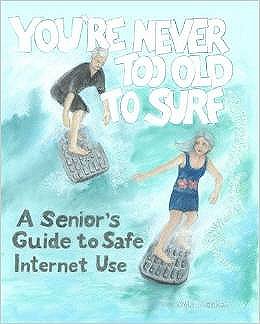
I want to thank Karen Kelly, Artist-in-Residence at the Framin’ Place for capturing the spirit of my book with the cover art.
The people who really deserve thanks are my family. My husband, Joseph Martinich, has been with me every step of the way not only with this book, but in my entire career. He is supportive and an excellent editor! I sincerely doubt that I could have done any of it without him. My son, Michael Martinich Sauter, has demonstrated infinite patience with his mother. More important, he has inspired me to look at every topic differently and more creatively. I am most grateful he has shared his wisdom with me. Finally, I want to acknowledge the sage Lady Alexandra (a.k.a. Allie the dog), who made me laugh when I really needed it, and whose courage made me appreciate everything more.
The Author
Vicki Sauter received her Ph.D. in systems engineering at Northwestern University, and has been a Professor of Information Systems at University of Missouri – St. Louis for over 35 years. She is a baby boomer with over 40 years of experience using and programming computers. She has published many academic papers and two books (John Wiley publisher). Sauter initially used email using BITNet (a predecessor to the Internet) in the 1980s. Her first attempts to put information on the Internet used Gopher, the predecessor to the World Wide Web (now known simply as the Web). She chaired the university’s committee to create its first web presence, and has been active in developing and using the web to share information since then (see http://www.umsl.edu/~sauterv). Sauter’s first purchase online was in 1997, and she has used Facebook since 2005. Said differently, Vicki Sauter has been using and teaching the tools since they were invented, and so she has a great deal of experience to share, about the how and why to use the Internet, and how to use it safely.